What Devoted actually does
Devoted sits on the Google Calendar you already keep. You capture a thought the way it lives in your head, by voice or by text. An assistant finds a slot, shows the reasoning, and waits. After you approve, the event is real.
Then Right Now shows one next moment, not a wall of choices. That is the job: fewer decisions about when, so attention can go to the thing itself.
Thought in. Time proposed. Your yes. One next thing.
What it is, and what it refuses to be.
Designed so ADHD and other busy minds do not have to plan the plan. Google Calendar stays the source of truth.
- 01
Capture a thought
Voice or text in the thought bar. No due date fields. No triage form. You say it the way it showed up.
- 02
Review a proposal
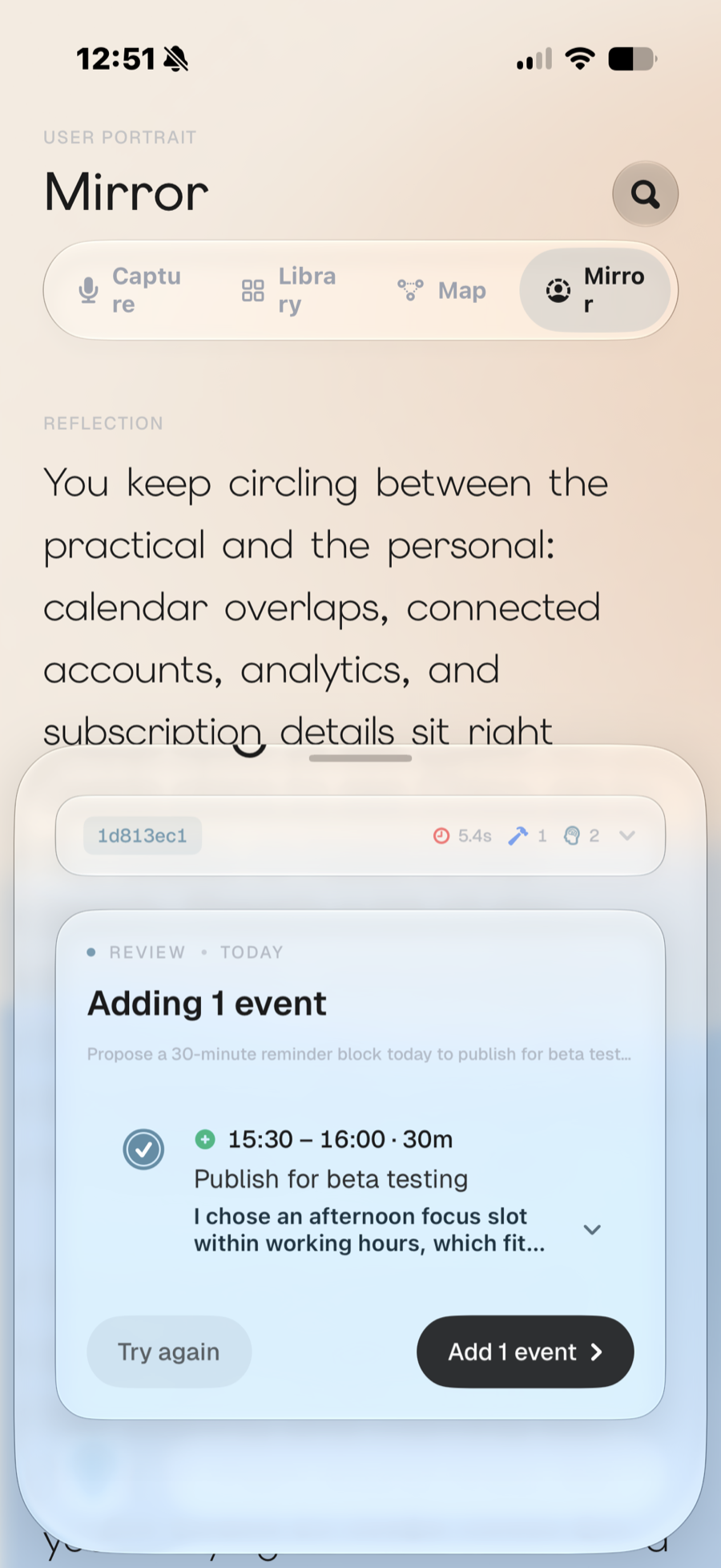
The assistant picks a slot on Google Calendar, explains why, and waits. Approve, retry, or skip. Nothing is written first.
- 03
Live in Right Now
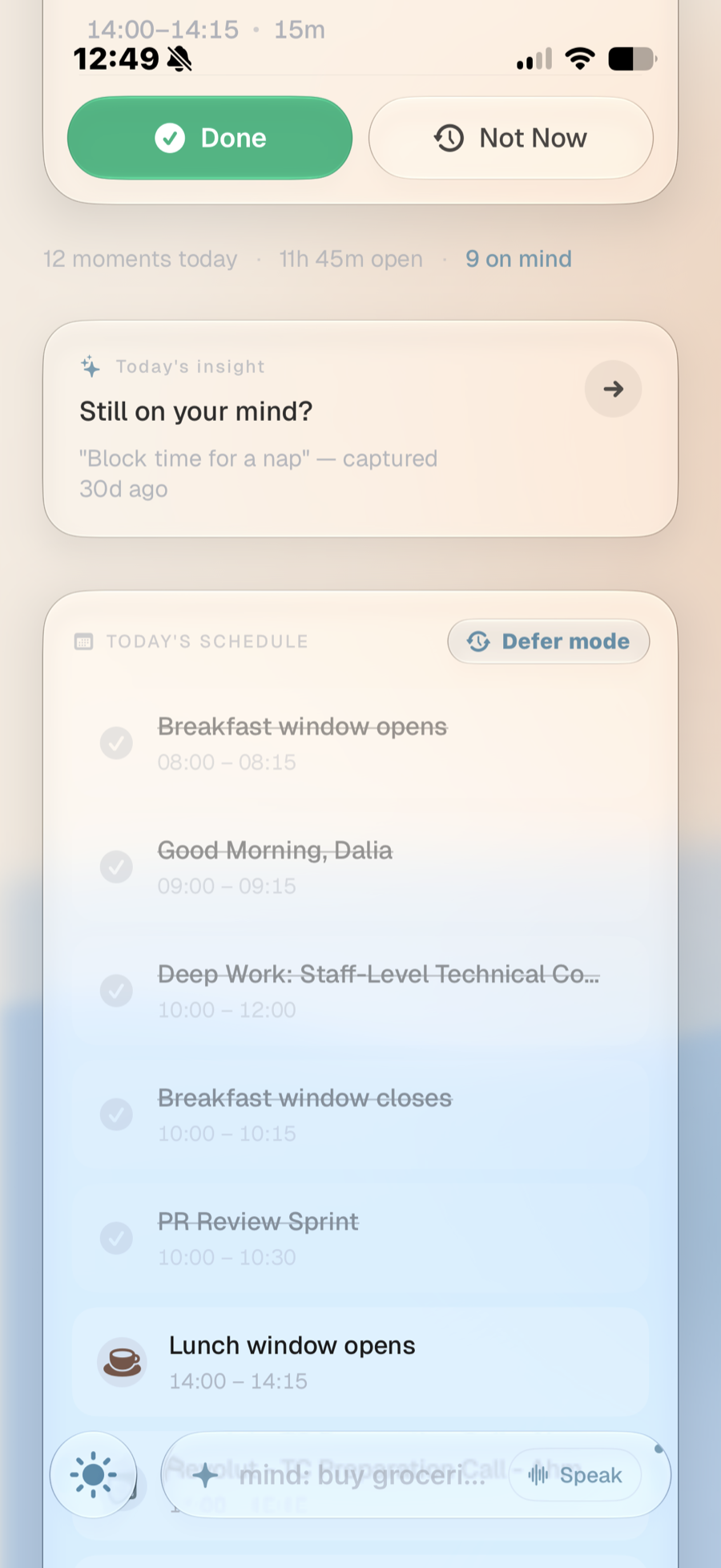
One next moment, the open time left today, and the rest of the schedule underneath. Done and Not Now are one tap. Defer slides the day when the plan breaks.
- 04
See the real calendar
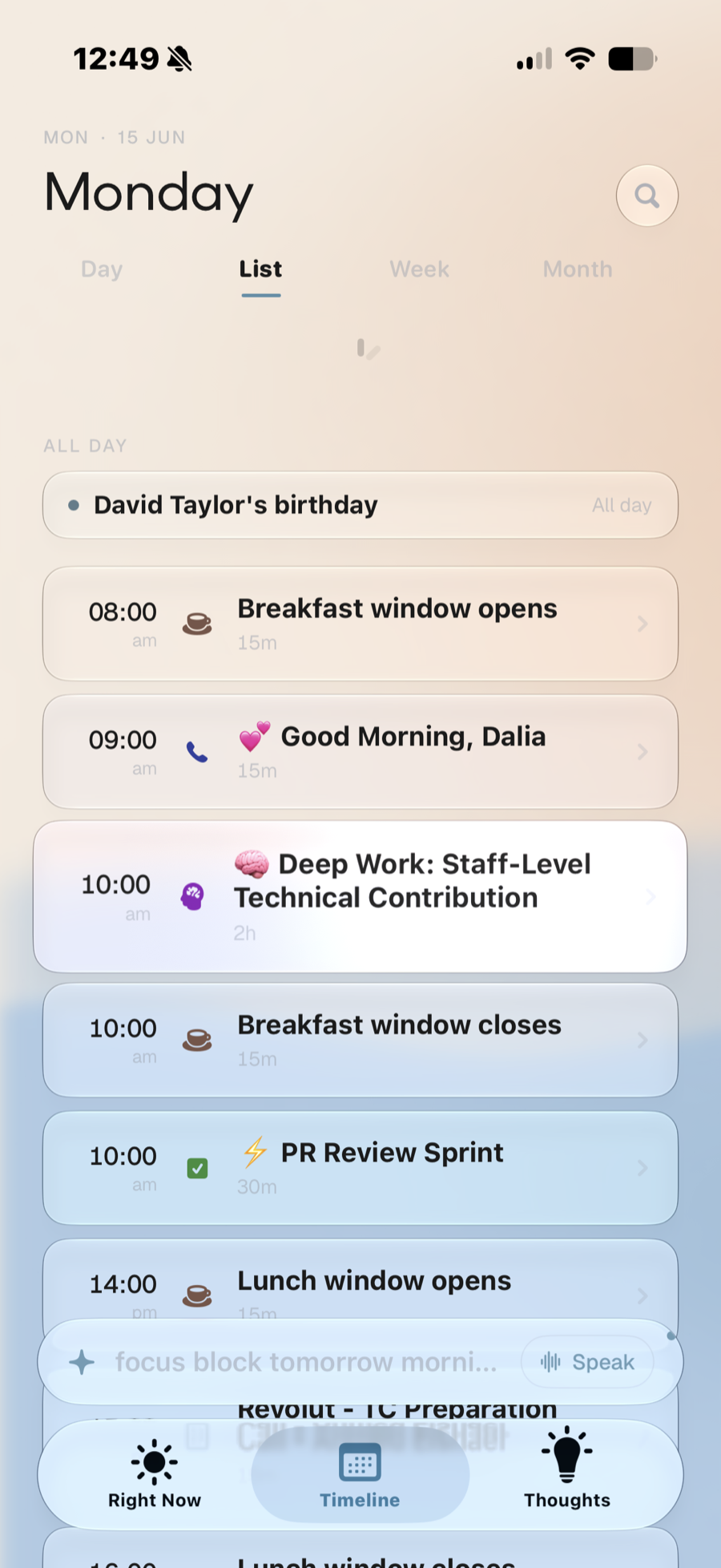
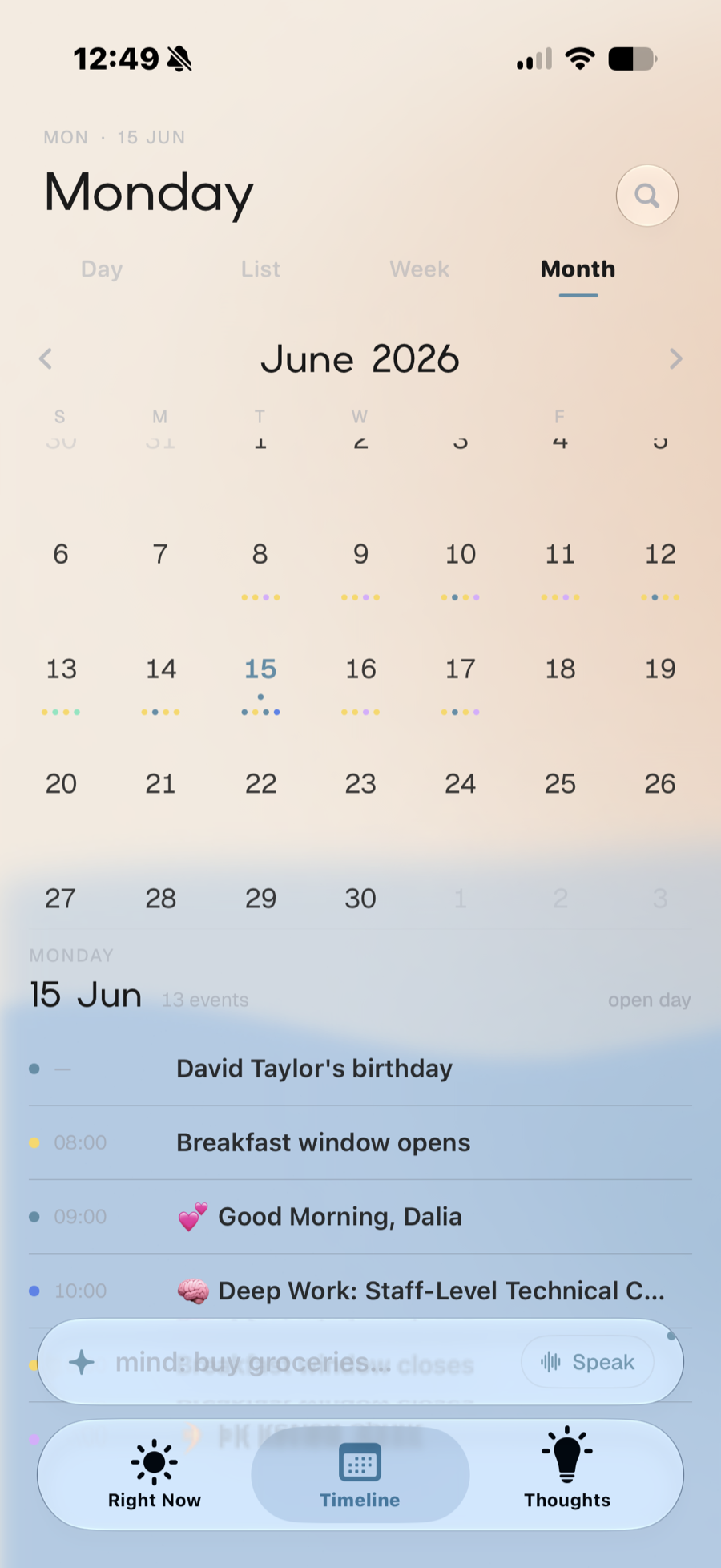
Timeline is day, list, week, and month of the replica. Event color is the calendar it came from, not a category costume.
- 05
Keep a second brain that books itself
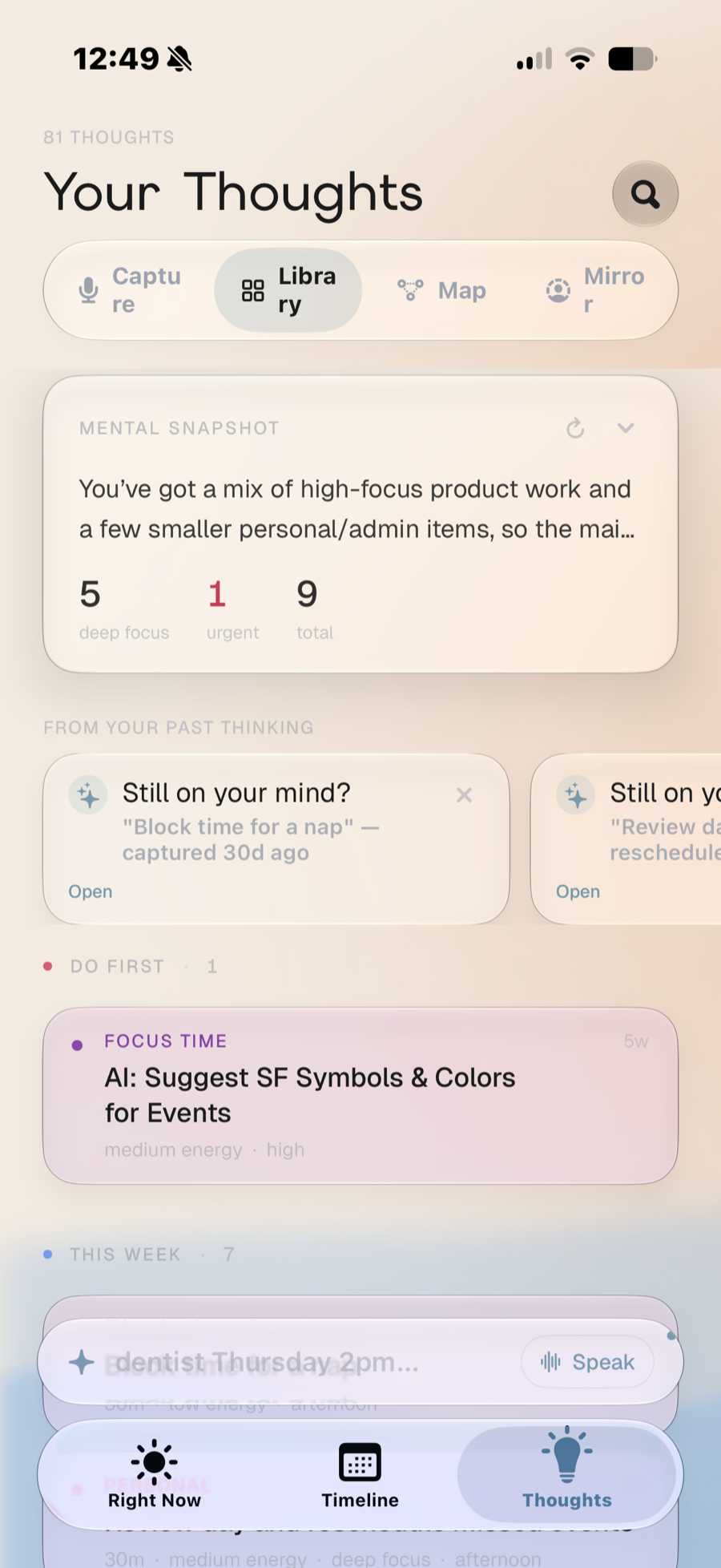
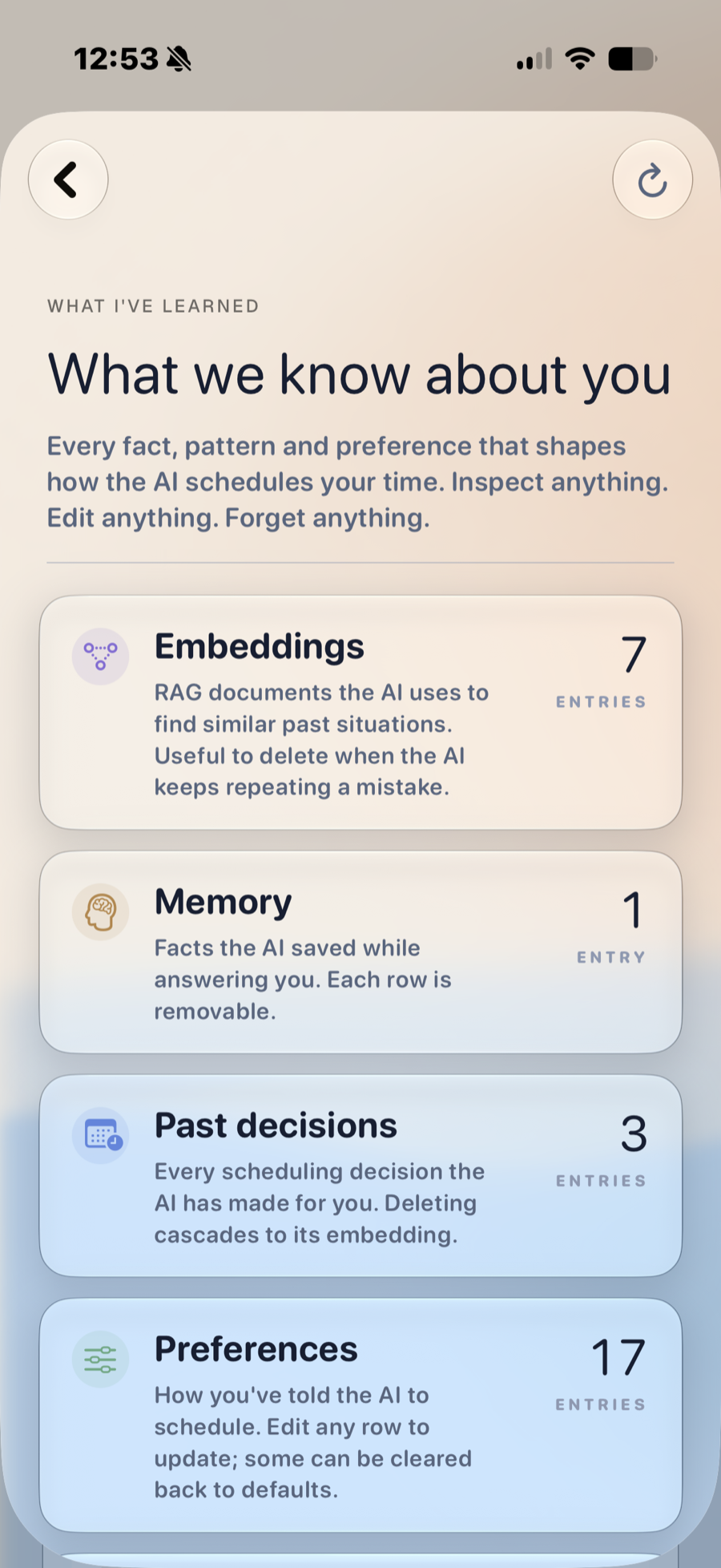
Library holds enriched thoughts. Map clusters themes. Mirror writes a weekly portrait in plain language. Memory is inspectable, editable, forgettable.
- 06
Let it learn the next yes
Accept and reject teach future proposals for your account only. Day planning can lay out a whole day and revert if it misses.
It is not
- A second calendar you have to maintain
- A chatbot that talks about your day
- Automatic booking without your approval
- A medical product, diagnosis, or ADHD treatment
Real screens from the current build.
Not mockups. Testers live in three places: Right Now for the next moment, Timeline for the calendar, and Thoughts for everything that is not booked yet.
One next moment, then the rest of today.
A single scrollable surface: what to do now, how much open time is left, and the rest of the schedule beneath it. When life derails the plan, Defer mode slides everything forward at once.
- Done / Not Now in one tap
- Today’s insight from past thinking
- Defer mode for the hard days
See the day take shape.
The same plan, four ways. Scan an hour-by-hour day, a tidy list, a week, or a month dotted with what is already on your calendars, then reshape it without rebuilding from scratch.
- Day · List · Week · Month
- Colors from your calendars
- Reschedule without the rebuild
A second brain that schedules itself.
Capture a thought by voice or text and Devoted enriches it with energy, focus, and timing, then surfaces a Mental Snapshot so you can see what is actually on your mind before it ever touches your calendar.
- Voice or text capture
- Mental Snapshot of your load
- Smart bundles of related thoughts
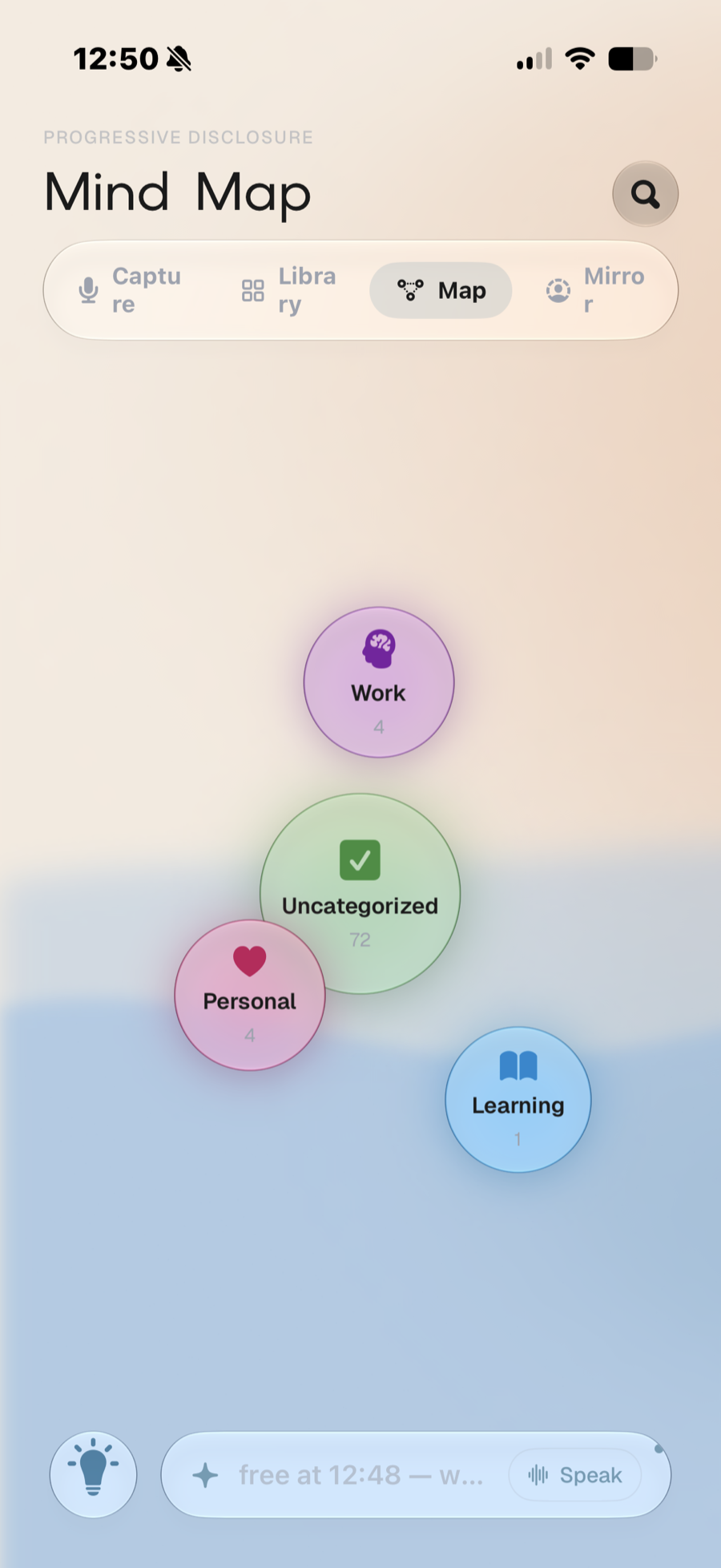
It learns the shape of your mind.
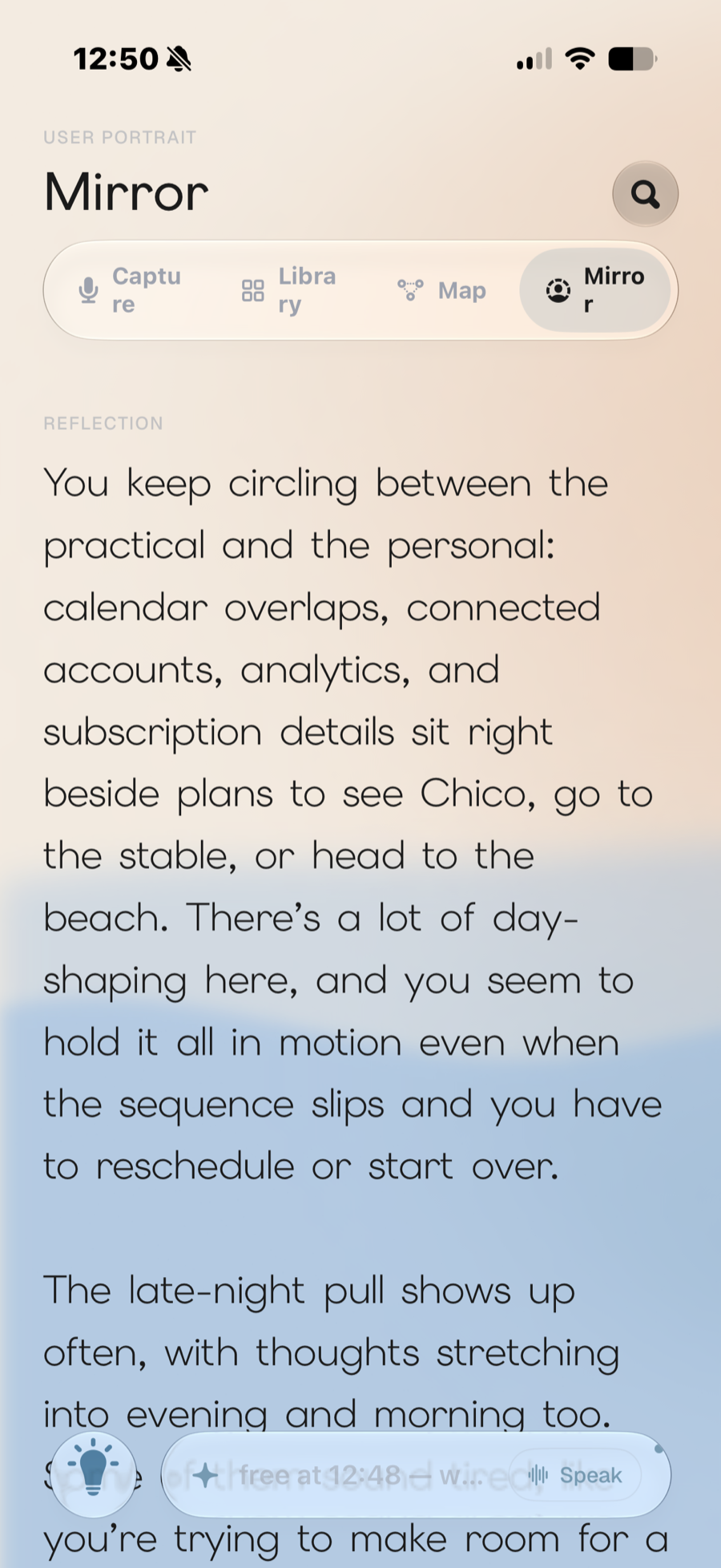
The Map clusters your thinking into themes you can explore. The Mirror writes a weekly portrait back to you, in plain language, so the patterns you half-notice become something you can actually read.
- Clustered theme map
- Weekly written reflection
- Patterns made legible
Nothing lands without your yes.
Devoted proposes a slot and explains why; you approve, retry, or skip. Everything it has learned about you, every fact, decision, and preference, lives in one place you can inspect, edit, or forget.
- Review before anything is booked
- Plain-English reasoning
- Inspect, edit, or forget anything
Help shape Devoted. Get your first year free.
Devoted is in an early iOS TestFlight beta and we’re looking for people who’ll actually live in it and tell us what’s working and what isn’t. Help us shape it, and your first year of Devoted is on us.
First year free for founding testers. A full year of Devoted once we launch, as our thanks for your feedback.
- iPhone, iPad & Mac
- Android coming soon
- Google Calendar